How AI Turns Invoice Documents into Structured Data for Automated Invoice Processing
—

Every accounts payable department deals with the same fundamental challenge: vendor invoices arrive in dozens of formats, languages, and channels, yet they all need to end up as clean, coded records inside an ERP. AI-powered invoice processing bridges that gap by converting raw documents into structured fields that flow directly into accounts payable workflows-without manually entering data for every line. Here is how it works, why it matters, and what finance leaders should know before adopting it.
From Paper Invoice Piles to Automated Invoice Processing
A mid-sized manufacturer that processes 10,000 supplier invoices a month could face a familiar bottleneck that your company has too: invoices backed up for days, approvals bounced between departments, and manual data entry errors caused mismatches against purchase orders, duplicate payments, and missed discounts.
Invoice processing is the end-to-end accounts payable workflow—from the moment an invoice arrives through data capture, verification, approval, payment, and recording. In a fully manual environment, every step depends on human keystrokes, email chains, and spreadsheet trackers. In an automated workflow, AI and workflow tools compress days of work into hours while strengthening control.
Unstructured Invoice Documents vs. Structured Invoice Data
Imagine a scanned PDF that contains a vendor logo, a table of line items, a handwritten "approved" note in the margin, and a rubber stamp across the total. There is no predefined schema-just pixels and ink. That is unstructured data.
Structured invoice data, by contrast, lives in normalized fields inside a database or ERP table: vendor\_id, invoice\_number, invoice\_date, due\_date, currency, tax\_amount, line\_item\_description, GL\_code, cost\_center. Every record follows the same model regardless of the source vendor.
A single vendor invoice can arrive as a camera photo, a system-generated PDF, or a mailed paper invoice. All must be transformed into the same structured data model for AP automation. Even semi-structured electronic invoices still require mapping to internal charts of accounts and business systems.
Why does structure matter? Only structured data can drive:
Automated 2-way and 3-way invoice matching against purchase orders and goods receipts
Spend analytics, cash flow analysis, and month-end accruals
Early-payment discount optimization and vendor payments scheduling
Step-by-Step: How Automation Turns a Vendor Invoice into Structured AP Data
Here is an end-to-end walkthrough following a single invoice from arrival to payment-ready status, showing exactly where AI intervenes:
Invoice arrival and capture.
Whether the invoice arrives via email, a supplier portal, or paper mail, the system ingests it immediately. Invoice scanning converts paper invoices into digital images; email attachments are parsed automatically. Centralizing invoice receipt prevents lost documents and facilitates easier processing.
Classification and layout detection.
AI classifies the document type, identifies the vendor, and segments the page into header, footer, and line-item zones.
OCR and data extraction.
The OCR engine, supported by ML models, reads the text and assigns it to fields. Key information extracted during invoice processing includes vendor name, invoice number, and due date, along with line-item quantities, unit prices, tax rates, and totals-regardless of the invoice format.
Data validation and matching.
The system cross-checks totals, verifies tax calculations, and performs automated invoice matching. Three-way matching involves comparing the invoice against a purchase order and a receiving report, which prevents overpayments and fraud.
Routing and approval.
Automating approval workflows ensures invoices are routed to correct approvers based on cost thresholds, GL codes, and cost centers. Only exceptions reach human reviewers.
ERP posting and payment readiness.
Validated extracted invoice data is pushed into enterprise resource planning systems with GL codes, cost centers, and project tags applied. The invoice image is stored alongside metadata for audit. Approved invoices become ready for processing payments on schedule.
Document Capture and Invoice Scanning: Getting from Paper to Pixels
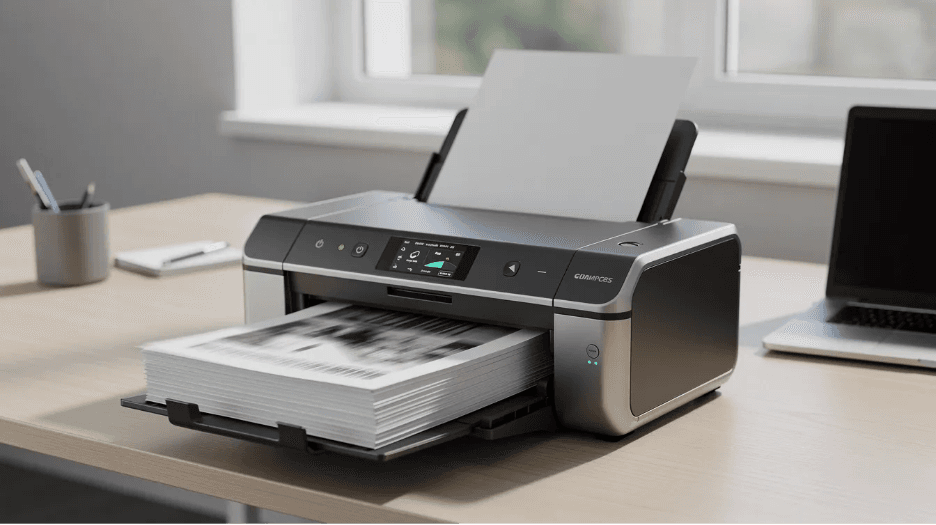
The quality of everything downstream depends on what happens at capture. Invoice capture software must handle multiple input channels simultaneously:
Mailed paper invoices:
Scanned in batch runs at a minimum of 300 DPI, using color processing to retain logos and stamps.
Emailed PDF invoices:
Automatically ingested from dedicated AP mailboxes or shared folders.
Mobile photos:
Field managers or smaller vendors snap images via AP apps-useful but prone to shadows, skew, and low resolution.
Supplier portal downloads and electronic documents:
Pulled via API or SFTP watch folders.
Common capture issues-skewed pages, shadows, handwritten margin notes-are corrected by preprocessing algorithms before the image reaches OCR. Standardized invoice formats speed up data capture and approvals, so communicating preferred submission guidelines to vendors pays off quickly.
Well-designed capture dramatically reduces exception handling downstream. Every invoice image is linked to its extracted data, creating an audit trail that finance teams can reference during month-end or external reviews.
Implementing AI-Based Invoice Processing: A Practical Roadmap
If your organization still relies largely on manual processing, here is a step-by-step approach to adopting invoice automation:
Phase 1: Assess and baseline.
Measure current cycle time, cost per invoice, error and exception rates, early-payment discount capture, and frequency of late-payment penalties. These baselines will prove ROI later.
Phase 2: Define requirements.
Document invoice volumes (monthly count), number of vendors, countries, currencies, legal entities, and the ERP systems and accounting system platforms in use. Prioritize high-volume or high-value vendors first-PO-backed invoices are typically easier to automate invoice workflows around.
Phase 3: Evaluate solutions.
Assess invoice processing software against criteria that matter: OCR accuracy benchmarks (header and line-item), machine learning capabilities, integration flexibility, support for multi-entity and multi-currency setups, user friendly interface for AP staff, and security certifications. Invoice automation software can handle thousands of invoices monthly, so scalability should be tested during evaluation.

Phase 4: Pilot.
Start with one business unit or region. Process several thousand invoices, measure straight-through processing rates and exception volumes, and refine validation rules before scaling. A focused pilot can show measurable savings within 8–12 weeks.
Phase 5: Scale and manage change.
Train AP teams on exception handling within the new ap software. Update approval matrices and policies. Communicate new invoice submission channels to major suppliers so they understand what is expected. Reducing manual data entry is as much about process change as technology.
Phase 6: Continuously improve.
Run quarterly reviews of exception types. Feed corrections back into ML models. Expand gradually to more complex invoice types (non-PO, multi-tax, cross-border) and additional entities. Broader rollouts typically yield significant ROI within 6–12 months.
Future Trends in Invoice Processing Automation
Looking from 2026 onward, several developments are reshaping how organizations automate invoice processing:
Higher straight-through processing rates. As ML models mature and vendor adoption of standardized formats grows, the percentage of invoices requiring zero human intervention continues to climb.
Real-time payments and dynamic discounting. Clean, structured invoice data enables organizations to safely offer dynamic discounting and supply chain finance to key vendors-turning accounts payable processes into a source of working capital optimization and bill payments efficiency.
LLMs for contract compliance. Large Language Models can interpret complex contract terms and compare them to invoice lines, flagging billing that exceeds agreed rates or volumes before payment.
Mandated e-invoicing. Regulatory developments in the EU, Latin America, and parts of Asia are pushing vendors and buyers toward structured, machine-readable electronic invoices, reducing the volume of truly unstructured documents over time.
Foundation for broader transformation. Finance leaders who treat automated invoice processing as the starting point-not the end-are extending intelligent document processing to contracts, receipts, and other electronic documents across the entire ap process.
The organizations capturing the most value are those that view invoice automation not as a cost-cutting project but as a foundation for data-driven finance and better cash management.
For organizations looking to modernize accounts payable without replacing their existing ERP, Process Fusion helps automate invoice capture, validation, approval routing, and ERP integration in a single solution.
Book a demo to see how AI-powered invoice automation can reduce manual work, improve visibility, and accelerate invoice processing.
FAQs
What invoice types and formats can AI-based invoice processing handle?
Modern automated invoice processing software handles paper invoices (via invoice scanning), emailed pdf invoices, supplier portal downloads, mobile phone images, and structured e-invoices (XML, EDI, Peppol). OCR can handle various invoice formats including PDFs and images. Even with highly variable layouts-different vendor logos, column orders, and languages-template-less machine learning models extract data consistently. Limitations remain for extremely low-resolution images or heavily handwritten invoices; improving scan quality at capture is the best mitigation.
How accurate is AI-powered invoice data extraction compared to manual entry?
With good-quality images and mature models, header field accuracy can exceed 98–99%. Manual processing, by contrast, typically produces error rates of 1–3% per field due to fatigue and rekeying. Automated processing reduces human error significantly and provides a more consistent, audit-friendly record. Human review remains essential for high-value or high-risk invoices and for exceptions flagged by validation rules.
Do we need to change our chart of accounts or vendor master before implementing automation?
A clean chart of accounts and vendor master are not mandatory to start, but data quality issues surface faster once processing invoices is automated. Reviewing duplicate vendors, inactive accounts, and inconsistent naming conventions before or during implementation improves matching and coding accuracy. Coordinating with finance and procurement teams to align coding rules with new automated workflows prevents inefficient processes downstream.
How long does it typically take to see benefits from automated invoice processing?
A focused pilot can show measurable time and cost savings within 8–12 weeks. Broader rollouts typically yield significant ROI within 6–12 months. Machine learning accuracy and straight-through processing rates improve steadily as more invoices are processed and corrections feed back into models. Change management-training AP staff on the automated system and adjusting accounts payable workflows-often dictates the speed of adoption as much as the technology itself.
What security and compliance considerations should we evaluate?
Key requirements include encryption of invoice data in transit and at rest, role-based access controls tied to corporate identity systems, and detailed audit trails for every approval. Evaluate vendor certifications such as SOC 2 and ISO 27001, and confirm data residency options if you operate in regulated regions. Involving IT security, internal audit, and data protection officers early in the selection process avoids delays and ensures the solution meets requirements for data security and financial regulation compliance.


LIFE AT PROCESS FUSION
Team activities that turn colleagues into community
From social gatherings and shared celebrations to collaborative activities, we create space for people to connect beyond projects. These moments strengthen relationships, spark new ideas, and make everyday teamwork more meaningful.
01
Pride
We take pride in the work we create, the customers we support, and the positive impact we make together. Every contribution matters, and shared ownership turns good work into meaningful progress.
02
Trust
Open communication, respect, and accountability give people the confidence to contribute fully. We trust one another to share ideas honestly, follow through, and grow from every challenge.
03
Camaraderie
Shared experiences, team activities, and everyday support create genuine connection. We make room to laugh, celebrate, and help one another—building a community where people feel they belong.